
A calendar that handles real life
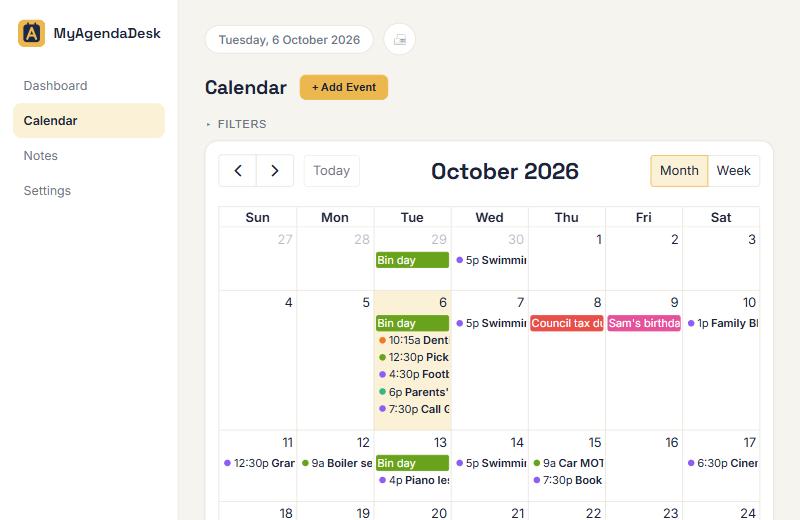
Repeating events (every Tuesday, the first Monday of the month), week-long trips, and colour-coded categories with their own icons.
Events, birthdays, to-do lists and reminders together, so nothing slips through the gaps. Share it with your partner and get an email nudge before the things that matter.
Works on your phone, tablet and computer. Sign in with Google or your email.
One simple place for the things that otherwise live in your head, on sticky notes and in three different apps.
Repeating events (every Tuesday, the first Monday of the month), week-long trips, and colour-coded categories with their own icons.
Add a year of birth once and see who’s turning what, every year, without doing any sums.
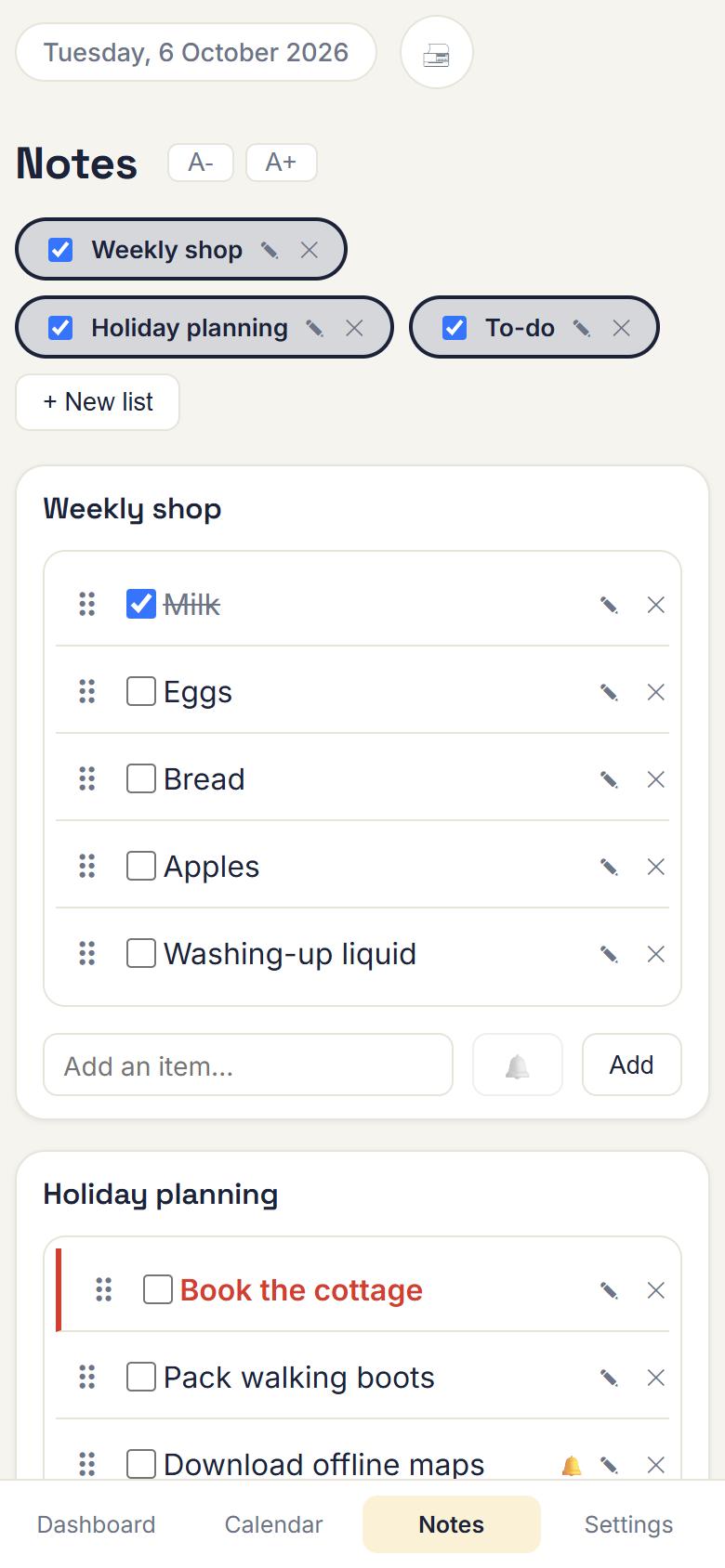
As many lists as you like: the weekly shop, holiday planning, jobs to do. Drag to reorder, tick things off, flag what’s urgent.
Get a nudge minutes, days or weeks before an event, or set a timer on any list item. They arrive where you already look.
Link two accounts with a short code and you both see the same calendar and lists. Each of you still gets your own reminders.
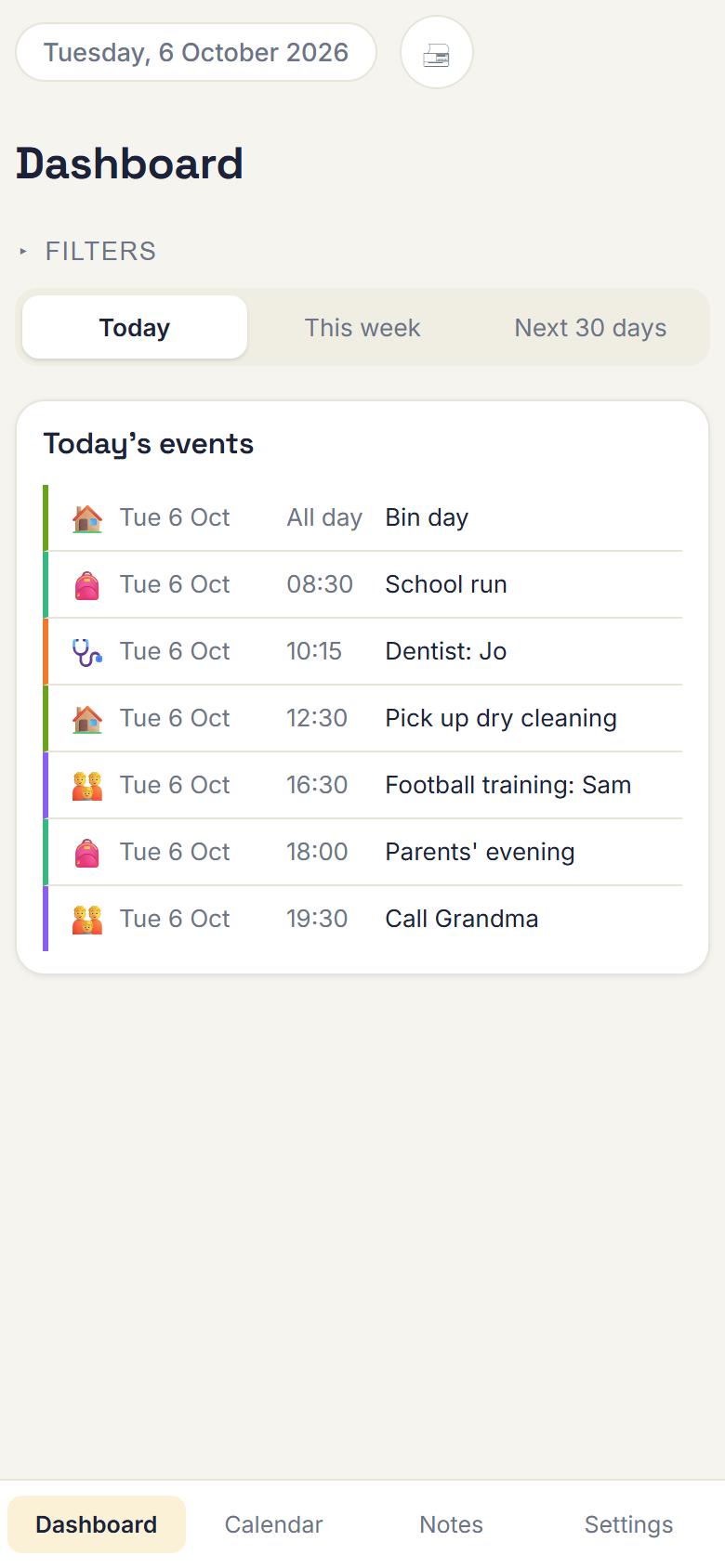
A dashboard that opens on what’s happening today, this week and over the next 30 days. You can print any of it too.
Open the app and your day is waiting: school run, dentist, parents’ evening, and the call you promised to make.
Keep the weekly shop next to the holiday plan. Tick items off, drag them into order, and mark the urgent ones in red.
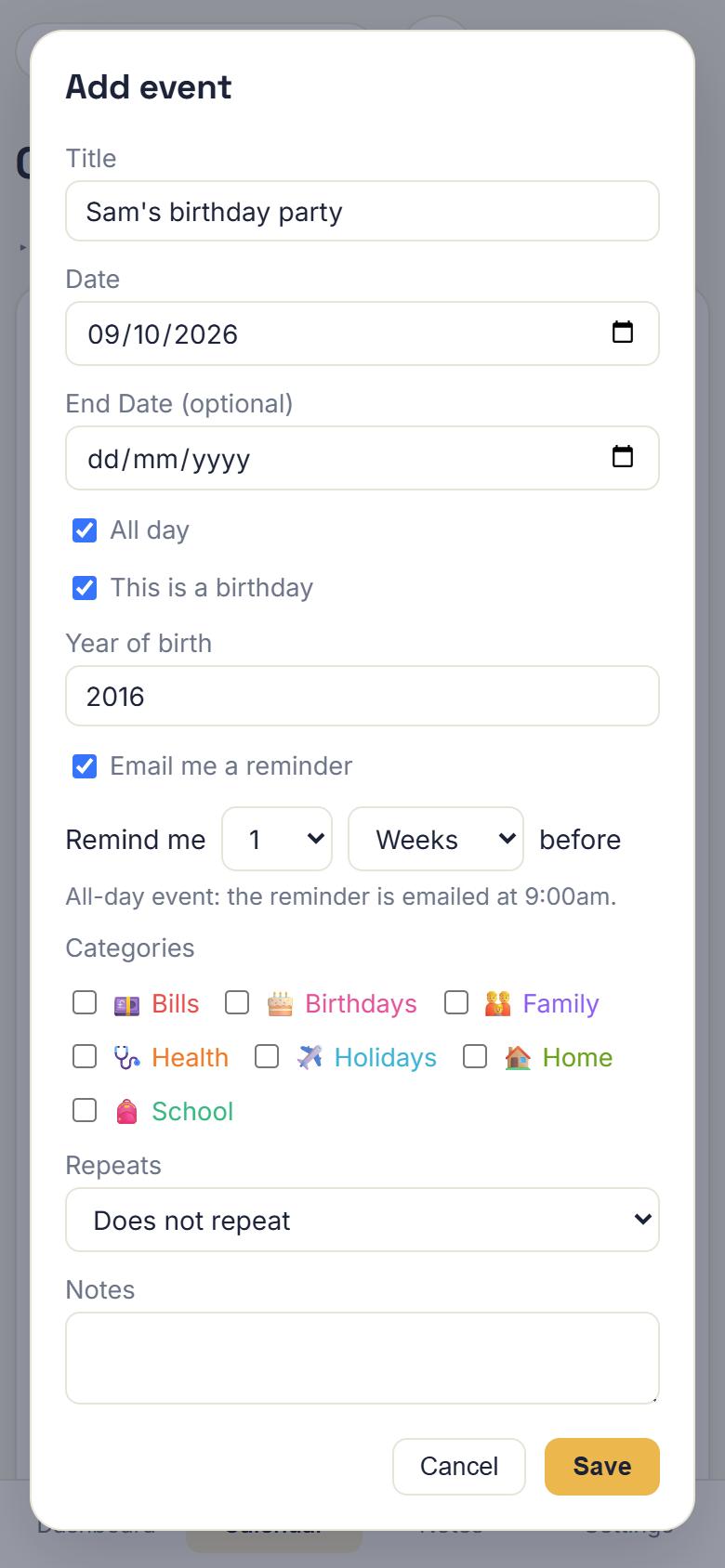
Tick “this is a birthday” and add the year. Choose “remind me a week before” and an email turns up when it should.
Stop asking “what’s on this week?” Link your account with your partner’s and every event and list you create shows up for both of you.
No card to start. If you decide it isn’t for you, your data stays safe and you can still read it.
after your free month
Pick the currency you prefer. We’ve guessed from your device.
MyAgendaDesk works in your browser and installs like an app, with its own icon and no address bar. No store needed.
Versions for Google Play and the App Store are planned for later.
Yes. Your first month is free and you don’t need to enter a card. After that it’s £1.49, €1.75 or $1.99 a month.
Nothing is deleted. Your account becomes read-only: you can still see everything, but you can’t add or change anything until you subscribe.
Yes. Link two accounts with a family code and you’ll share one calendar and one set of lists, while keeping your own sign-ins and your own reminders.
You choose how long before an event you’d like to be reminded, or set a timer on a list item. We email the address you signed up with. You can switch reminders off any time in Settings.
Not yet. Importing from Google Calendar and other calendars is on our list.
You, and anyone you choose to link in your family. We don’t sell your data or show adverts.